
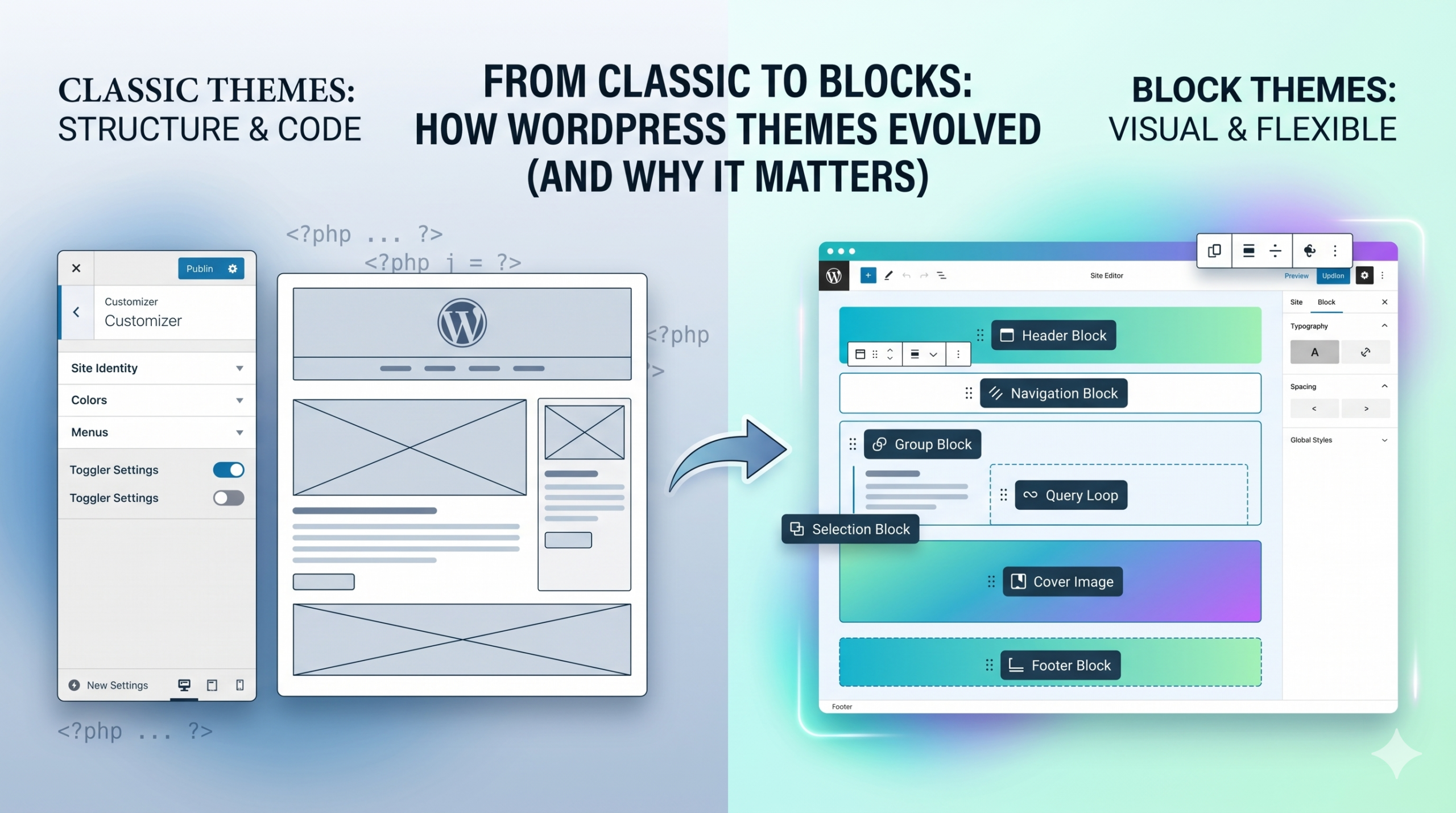
If you’ve been using WordPress for a while, you’ve probably felt the shift. It didn’t happen overnight, but somewhere along the way, themes stopped behaving the way they used to.
Classic themes had a certain rhythm to them. You installed one, tweaked some settings in the Customizer, maybe wrestled with a page builder, and that was your site. It worked—until it didn’t.
Now we’ve got block themes. Full Site Editing. Templates you can change visually. And depending on who you ask, it’s either the best thing WordPress has done in years… or an unnecessary complication.
So what’s actually different here—and does it matter?
The Old Way: Classic Themes and Controlled Structure
Classic WordPress themes were built around a fairly rigid structure. Your layout lived in PHP templates. Your design options were limited to whatever the theme developer exposed in the Customizer. If you wanted more control, you usually had to bring in a page builder or start editing code.
In practice, that meant a lot of trade-offs.
You could get something up and running quickly, but the moment you wanted to step outside the theme’s boundaries—change a header layout, redesign a blog archive, tweak spacing globally—you’d hit friction. Either you hacked around it, installed another plugin, or accepted the limitation.
For a long time, that was just how things worked.
The New System: Block Themes and Full Site Editing
Block themes flip that model on its head.
Instead of relying on fixed templates and scattered customization options, everything is built with blocks—the same system used in the editor. Headers, footers, post layouts, archive pages… all of it becomes editable in a visual interface.
The key difference isn’t just flexibility—it’s consistency.
You’re no longer jumping between the editor, the Customizer, and a page builder trying to piece together a design. The entire site lives in one system. You can adjust layout, typography, spacing, and structure in a way that feels unified instead of fragmented.
It’s a different mindset. Less “configure what the theme allows,” more “build what you need from a system.”
Where the Real Differences Show Up
On paper, both systems can produce a working website. The difference shows up when you start pushing beyond the basics.
With classic themes:
- Layout changes often require workarounds
- Global design consistency is harder to maintain
- You’re dependent on theme-specific options
With block themes:
- Layout is directly editable across the entire site
- Global styles are centralized and easier to manage
- You’re working with a standardized system, not a one-off setup
That last point matters more than it seems. Block themes aren’t just more flexible—they’re more predictable once you understand how they work.
Is the Update Actually Important?
Here’s the honest answer: it depends on how you use WordPress.
If you’ve got a stable site running on a classic theme, and it’s doing exactly what you need, there’s no urgent reason to rebuild everything tomorrow. Classic themes aren’t suddenly broken.
But if you’re building new sites—or constantly fighting your current setup—block themes start to make a lot more sense.
The direction of WordPress is clearly centered around blocks and Full Site Editing. That’s where new features are going. That’s where the ecosystem is heading. Ignoring that shift is a bit like holding onto an older workflow that’s slowly losing support.
The Trade-Offs Nobody Mentions
Block themes aren’t perfect.
There’s a learning curve, especially if you’re used to the old way of doing things. The interface can feel unfamiliar at first, and some workflows that used to be simple now require a different approach.
And ironically, more flexibility can sometimes mean more decisions. When everything is editable, it’s easier to overcomplicate your design if you’re not careful.
But once it clicks, the system starts to feel less like a constraint and more like a foundation.
So… Should You Switch?
If you’re starting fresh, it’s hard to argue against block themes. You’re building on the system WordPress is actively investing in, and you avoid the patchwork setup that classic themes often turn into over time.
If you’re mid-project or maintaining an existing site, it’s more of a strategic decision. Switching isn’t just a toggle—it’s a rebuild.
Personally, I see block themes the same way I see any major shift in tools: a little friction upfront, but a cleaner workflow long-term.
At the end of the day, this isn’t just a theme update—it’s a change in how WordPress expects you to build.
And like most changes in creative tools, the question isn’t whether the old way still works.
It’s whether the new way lets you work better.
Leave a Reply